
- Study Apps Guide
Best Apps for Studying Focus: 7 Useful Apps for Students
Reading textbooks alone isn’t enough anymore. Students now need to organize notes, learn information, prepare for exams, and stay focused — and the right app can do all of it in one place.
- By S Kumar
- 14 min read
- Updated Aug 2026
- 7 best apps for studying focus reviewed in detail
- Full 7 Useful Apps for Students comparison table
- Find the right app for your study style
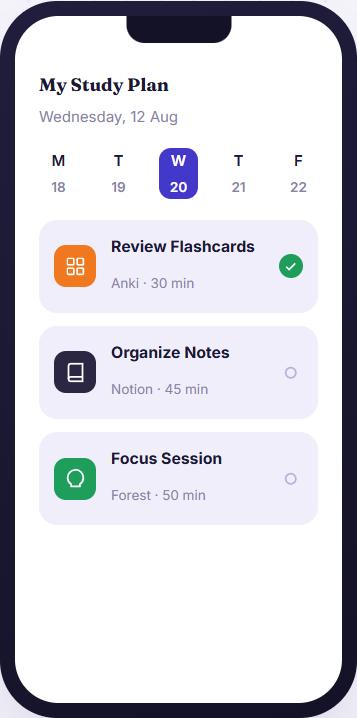
Browse Categories
Explore Our Resources
Find the perfect tool for your study needs across our curated categories.
AI Study Tools
Leverage AI to summarize, quiz, and break down complex topics instantly.

Our Top Picks
7 best apps for studying focus
Coursework, revision, focus, and planning- each app on this list solves a different piece of the studying puzzle.
At a Glance
7 Useful apps for students: Comparison
Compare the core capabilities, price points, and platform compatibility to find the best app for studying focus that matches your study workflow.
App Name
Anki
Spaced Repetition
Long-term memory retention algorithm
Windows, Mac, iOS, Android, Web
Notion
All-in-One Workspace
Free Student Plan
Web, Mac, Windows, iOS, Android
Forest
Gamified Pomodoro focus sessions
$3.99 One-Time
Quizlet
GoodNotes
Google Calendar
OneNote
Digital Notebook
Best app for studying Reviews
In-depth review of each studying app built for focused studies
Click on any app below to expand its full review, top feature breakdowns, and target user recommendations.
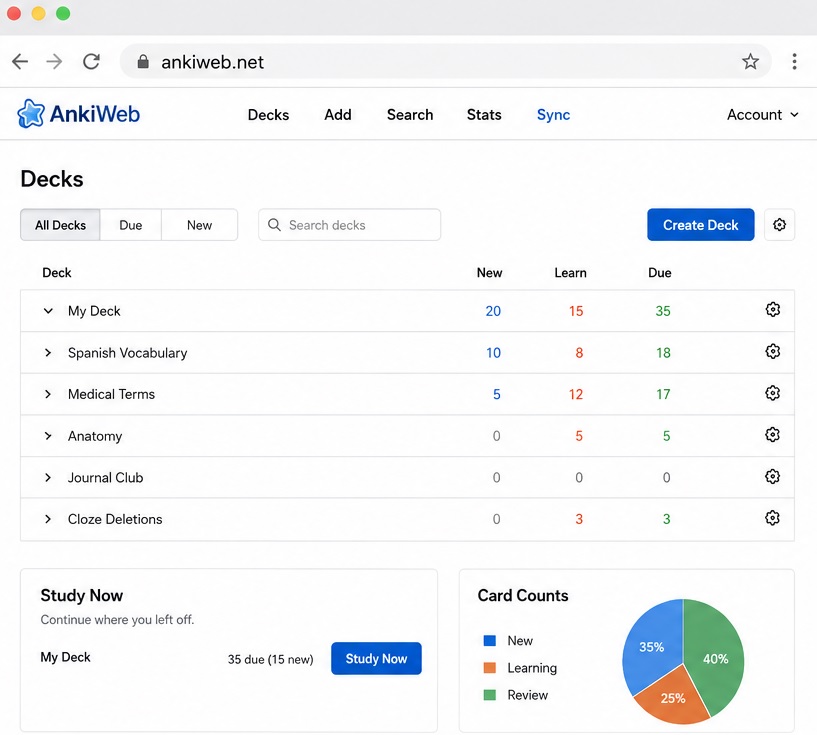
Anki is a flashcard app designed around spaced repetition. It is a strong option for remembering information for longer periods. Anki gives more attention to harder-to-remember cards without reviewing every card equally.
Students can easily create their own flashcards and add different types of media to them. Medical students, language learners, and law students mainly use it because they need to memorize a large amount of information.
- Regular revision via spaced repetition
- Customizable digital flashcards
- Support for images, audio, text, and math notation
- Many ready-to-use flashcard decks
- Progress tracking
- Syncing across devices
- Long-term memorization
- Highly customizable
- Useful for content-heavy subjects
- Available on desktop and Android for free
- It takes time to learn
- Customization might be hard
- iOS version needs a one-time purchase
Notion is a flexible workspace to keep notes, assignments, course materials, and study plans together. Users can arrange information by section with its database and page features.
Students can also create dashboards for upcoming assignments and connect related notes. They can use it for managing several classes simultaneously.
- Digital notes and pages
- Organizes coursework through databases
- Assignment tracking
- Tables, boards, lists, calendars, and timelines
- PDF embedding
- Cross-device syncing, collaboration and sharing
- Flexible organization options
- Manage multiple subjects easily
- Free personal plans
- Combines notes and task management
- A little hard to use
- Complicated setup
Forest follows an easy approach to help students stay focused. Students set a time and grow a virtual tree when they study. The tree dies when you leave the app before the session ends. It means that students will get a small incentive to stay away from their phones.
The app is ideal for focused sessions. It can also help reduce the habit of checking their phones during revision sessions.
- Focus timer
- Virtual tree-growing system
- Gamified study sessions
- Phone distraction control
- Real-tree planting via environmental partnership
- Easy to use
- Helpful to make sessions engaging
- Helps students to stay away from phones while studying
- Useful during timed study methods
- Some students may find its concept simple
- Different platforms may have different features
- Paid iOS version
Digital flashcards and study sets are the base of this app. Its large collection of user-created sets is one of the biggest advantages. It means that students may find existing material without creating flashcards themselves.
Its study modes can also help students test their knowledge and concentrate on difficult terms.
- Digital flashcards
- Big library of user-created study sets
- Learn mode
- Practice exercises and quizzes
- Progress tracking
- Collaborative study options
- Use easily
- Existing study sets
- Useful for fast revision
- Supports different study activities
- Limited free features
- Different quality of pre-existing sets
- Some students may match syllabus with pre-existing study sets to verify
Students preferring to write their notes by hand with digital convenience should use GoodNotes. It supports handwriting, typed notes, PDF annotation, and other study materials.
It helps students write directly on lecture slides, annotate textbooks, and arrange notes digitally. Handwriting recognition and search help you find information faster.
- Digital handwriting
- PDF annotation
- Typed and handwritten notes
- Handwriting recognition
- Note organization
- Supports lecture slides and other documents
- Write like you're writing on paper
- Useful for handwritten subjects
- Helps with annotating PDFs
- Keeps notes and study material together
- Limited free features
- Only works perfectly with compatible tablet & stylus
It can convert a general study plan into a specific schedule. Students can create a calendar event for a specific chapter or topic and assign a particular time to it. They can also use it for recurring revision sessions, classes, assignments, and group study plans.
- Study-session scheduling
- Time blocking
- Recurring events & reminders
- Color-coded calendars
- Calendar sharing
- Cross-platform access
- Free
- Set up easily
- Works across devices
- Useful for blocking time
- Helps manage classes and deadlines
- Focuses mainly on planning without studying itself
- Needs students to maintain their schedule
- You may need to use it with a note/flashcard app
Microsoft OneNote is a digital notebook to work across multiple platforms. Its notebook, section, and page structure allows you to organize class material and combine different types of content.
Students can type notes, add other media, and use audio recording for lectures. Its cross-platform availability and free access make it capable to use without paying anything.
- Digital notebooks, sections, and pages
- Typed notes & mixed-media support
- Audio recording
- Cross-platform access
- Offline functionality
- Free core version
- Free and cross-platform
- Notebook-style organization
- Useful for different types of study materials
- Helpful for students using different devices
- Less specialized
- Large notebooks can become difficult to organize
- Some features only available on certain devices
#1 Recommendation from 7 best apps for studying focus
Find the best match for your study style
Not every student studies the same way. Match your learning profile to the tool designed for it. These 7 useful apps for students going to help you in your studies.
Medical & Law
Anki
Ideal for memorizing high volumes of facts, formulas, and anatomical terms.
Notion
Perfect for managing multi-subject assignment databases and reading notes.
Forest
Gamifies deep work and stops you from checking social media while studying.
GoodNotes
Outstanding for hand-drawing math graphs, chemical bonds, and PDF annotation.
Google Cal
Ensures you lock in weekly study windows and never miss deadline targets.
Smart Selection
How to choose the best apps for studying focus
Instead of relying on a single app, successful students build a complementary 3-part study stack..
1. Identify Your Bottleneck
Are you forgetting material, missing deadlines, or getting distracted? Pin down the exact problem before picking a tool.
2. Trial the Free Tier
3. Stack, Don't Replace
How to Choose a Study App
One app is not enough for everyone. The right choice depends on your subjects, study habits, devices, and the features you will actually use. You should consider these factors before installing an app on your device:
Type of Studying
Begin by thinking about the area where you need help the most:
- Anki: Ideal for regular revision using flashcards and spaced repetition.
- Notion, OneNote, GoodNotes: Helpful for structured note-taking.
- Forest: Helps with phone addiction during study sessions.
- Quizlet: Great for flashcards, quizzes, and existing study sets.
Ease of Use
Your app should make studying easier instead of creating another task to manage.
It is best to check if you can understand the basic features without spending hours setting everything up. For example, Google Calendar has a very simple path to scheduling.
Free vs. Paid
Most study apps offer a free version, but they often have limited features in the free plan.
Students should check which features come with the free plan and verify whether they are enough for their needs. You can always start with free options like OneNote or Google Calendar.
Mobile & Desktop Availability
Consider where you study the most:
- Select an app with phone and desktop apps if you switch between devices.
- A handwriting-focused option is helpful for iPad users.
- Desktop and web versions are convenient for computer-based studying.
Cross-device access allows you to review material anywhere.
Offline Access
An internet connection is not always available, especially when away from home or campus.
Always consider if your app allows you to view and review study materials without an active internet connection.
AI Features
AI is becoming common in study apps. It helps generate study materials, summarize information, and create practice questions.
Which Study App Is Best for You?
The best app depends on the specific part of studying that you wish to improve:
Anki
Use Anki for remembering facts, definitions, formulas, and vocabulary. Its spaced repetition system is especially useful for long-term retention over extended periods.
Notion
Choose Notion to flexibly organize notes across several subjects. Students can build an entire study ecosystem with its pages, databases, and customizable views.
Forest
Use Forest to stay away from your phone while studying. Its timer and virtual tree planting system give you visual motivation to maintain focus.
Quizlet
Perfect for accessing flashcards, existing study sets, and practice tests. It provides various modes to rapidly revise key terms before an upcoming exam.
OneNote
Ideal for students searching for a free, cross-platform notebook. Keep notes, audio, and study content organized in one notebook without needing multiple apps.
Questions & Answers
FAQs on Best Apps for Studying
Got questions about pricing, offline access, or combining these tools?
What is the best app for studying?
There is no single best app for studying for everyone because every app offers different features and targets different needs. Anki is ideal for Memorization, Forest for focusing, Quizlet for exam preparation, and so on. You can use them together for a complete study setup.
What apps help students study better?
Different apps may help with different study tasks. Although Anki is ideal for spaced-repetition, Notion and OneNote are perfect for arranging notes. You can use Quizlet for exam preparation,
Are study apps actually useful?
Yes, they can be useful to solve different study problems. Flashcard apps support active recall. Note-taking apps, on the flip side, help organize study notes effectively. Focus apps are also useful to improve your focus on study. It is, however, important to use them consistently instead of switching between apps.
What is the best free study app?
Although most study apps have a free plan with limited free features, OneNote is perfect for general-purpose study for free. Google Calendar is also useful for scheduling study sessions for free. Anki also offers free access for active recall through flashcards on Android and desktop.
The Bottom Line on Best Apps for Studying
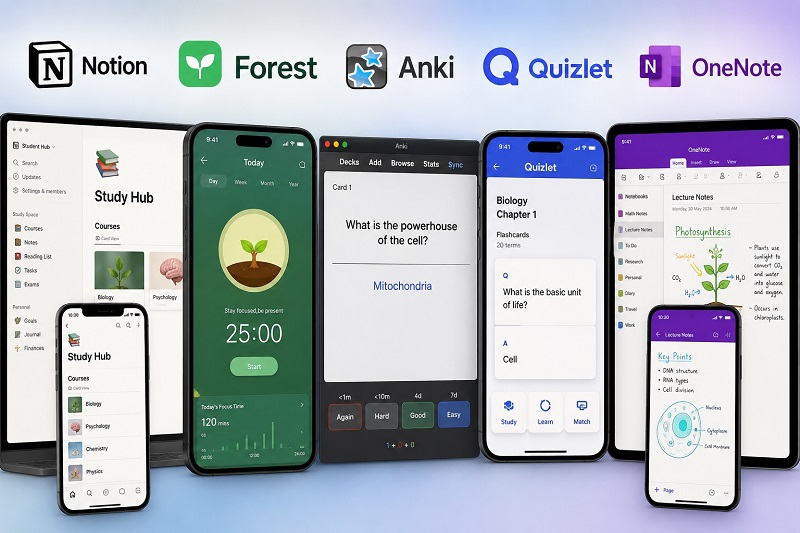
There’s no single ‘best’ study app — the right choice depends on whether you struggle with memorization, organization, focus, or scheduling. Start with one tool that solves your biggest bottleneck, then layer in others as needed.
- 7 Apps Reviewed
- Free Options for Every Budget
- Student Discounts Included